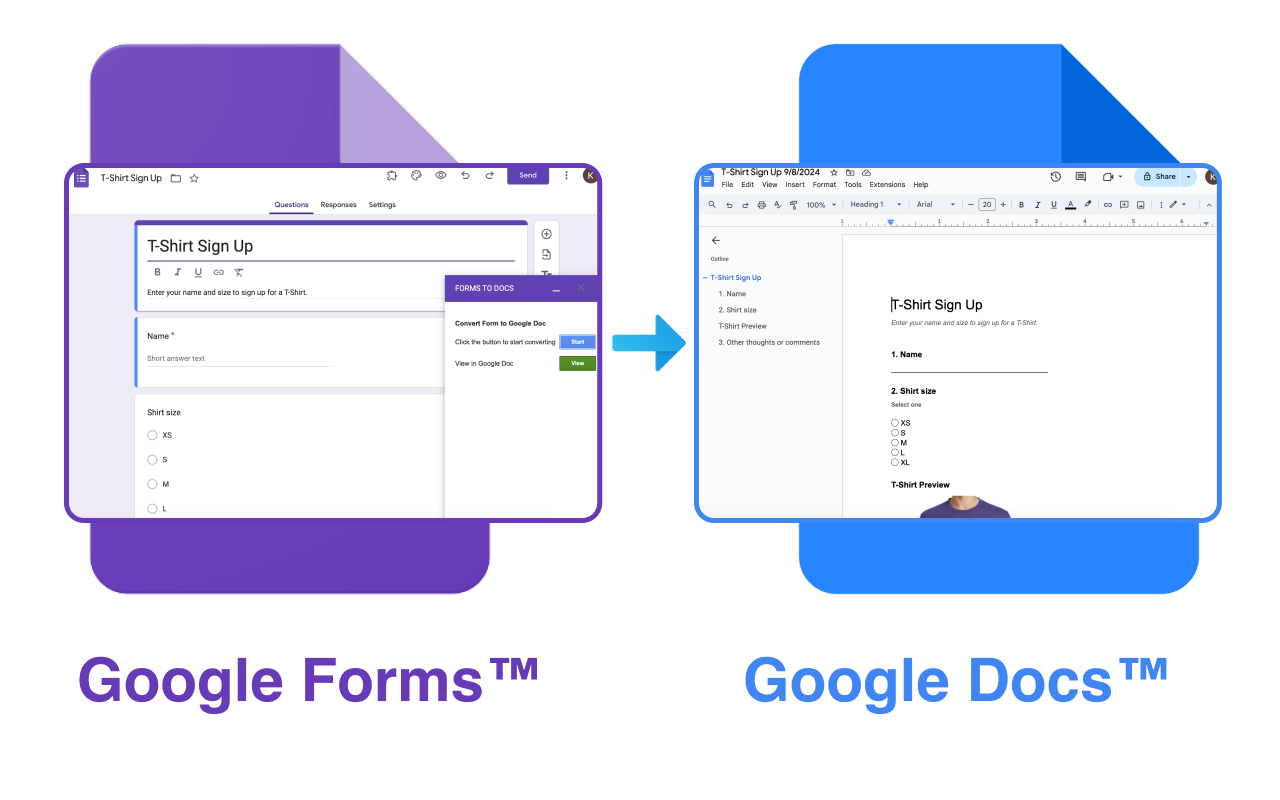
Open the Google Forms to Doc Add-on
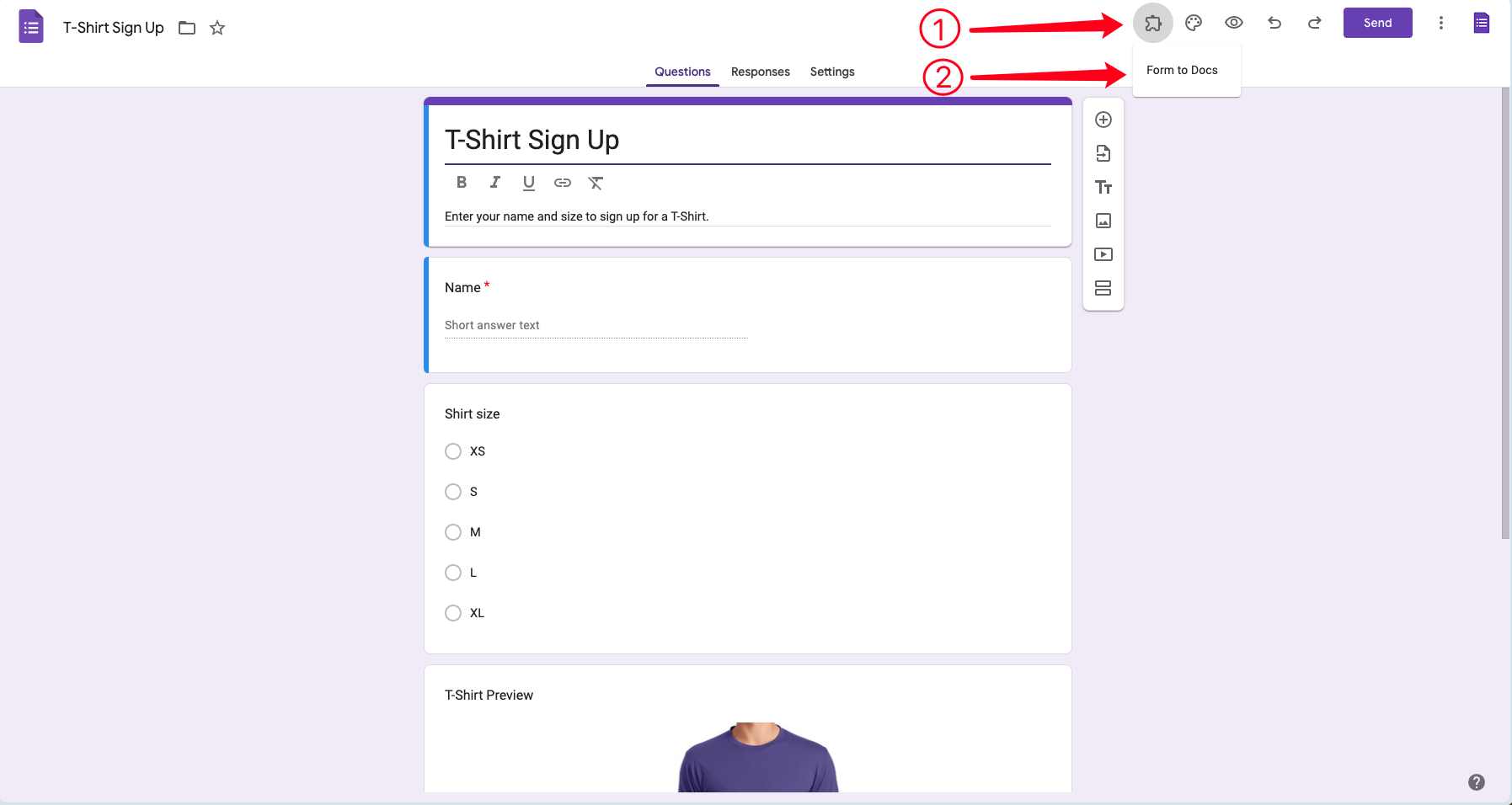
Step 1: Click the Add-on button
Step 2: Click Google Forms to Doc
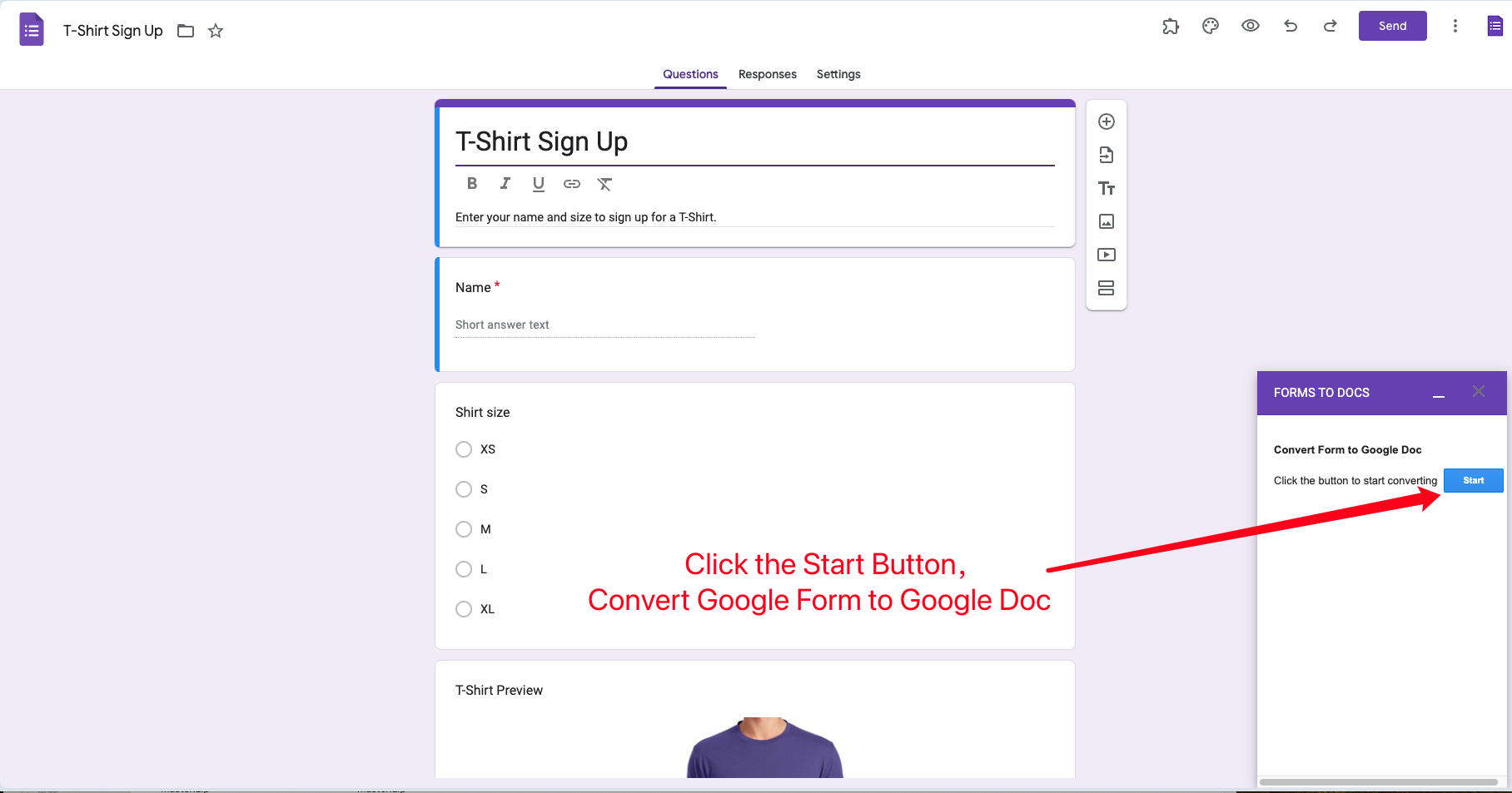
This is the user interface for Google Forms to Doc
Click the Start button to start the conversion.
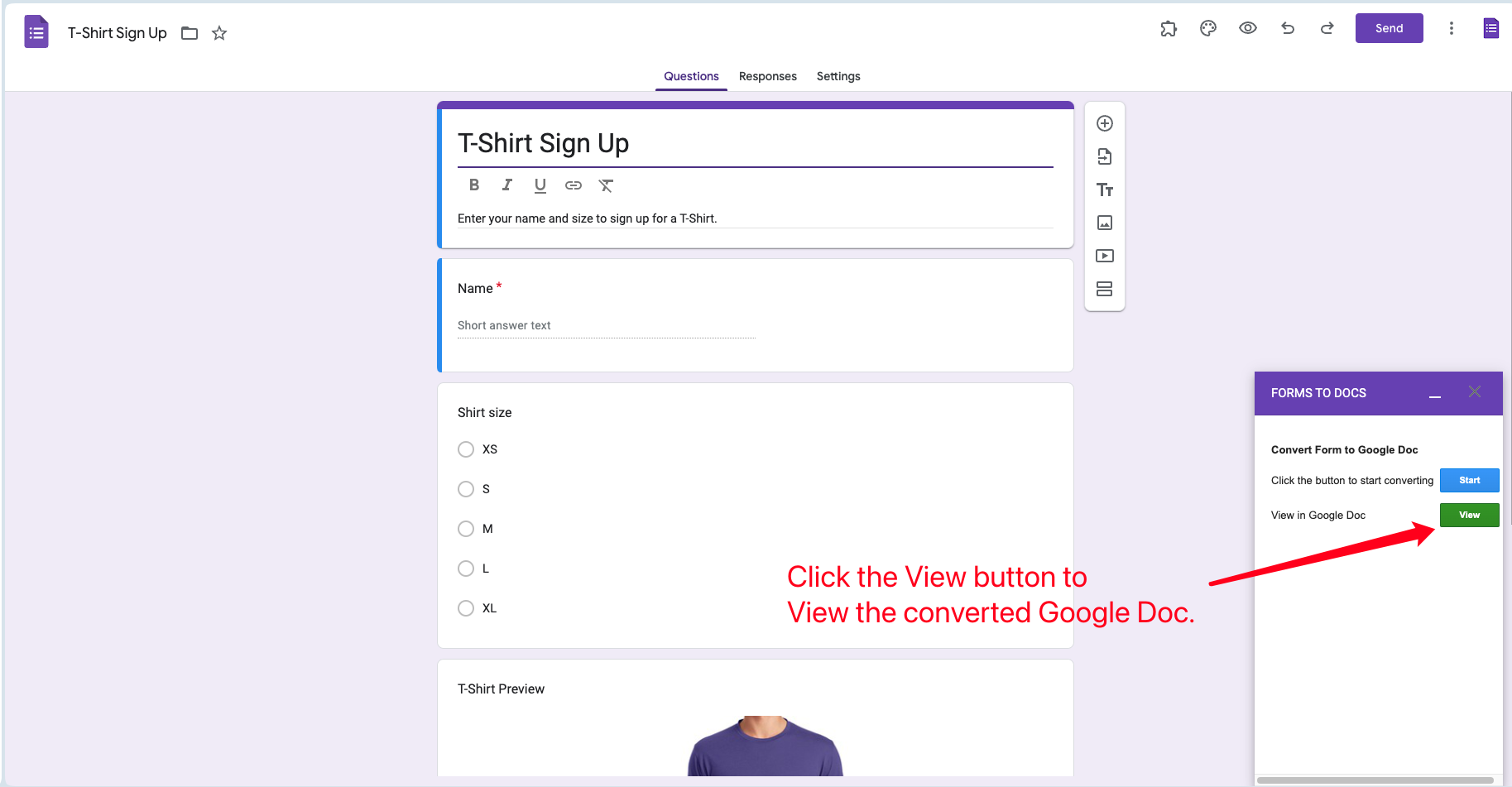
View your Google Docs™️
After the conversion is complete,
click the View button and you can view the converted Google Docs™️
Open your Google Docs™️
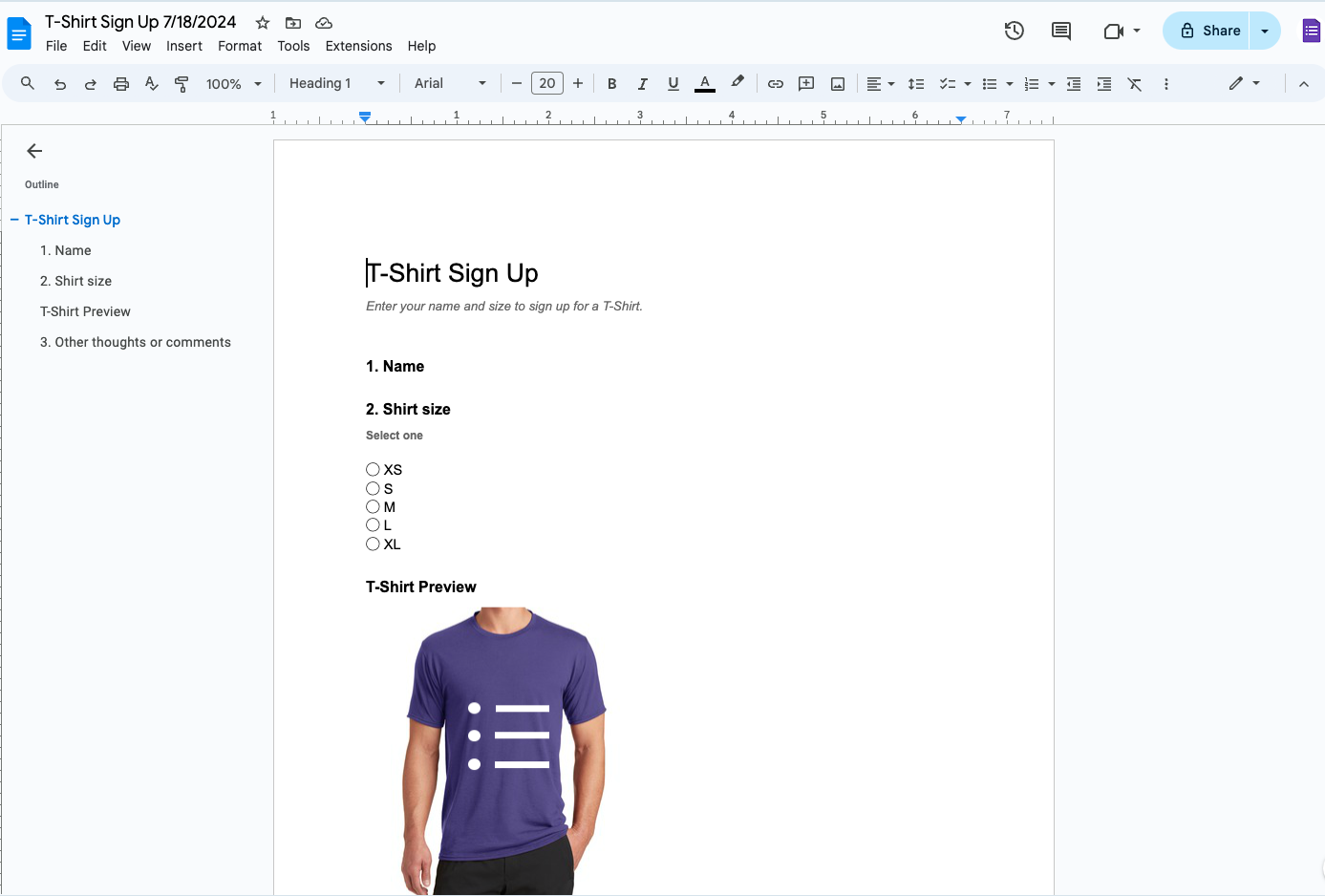
This is the result you see after opening your Google Docs™️.
It is exactly the same as the Google Form data before conversion. You can still edit it at this time.